
What Is an ERP? A Plain-English Guide for Pakistani Business Owners
A plain-English guide to ERP software for Pakistani business owners. Learn what ERP is, its modules and benefits, cloud vs on-premise options, costs, and how to implement it successfully to save time, control stock, and stay tax compliant.
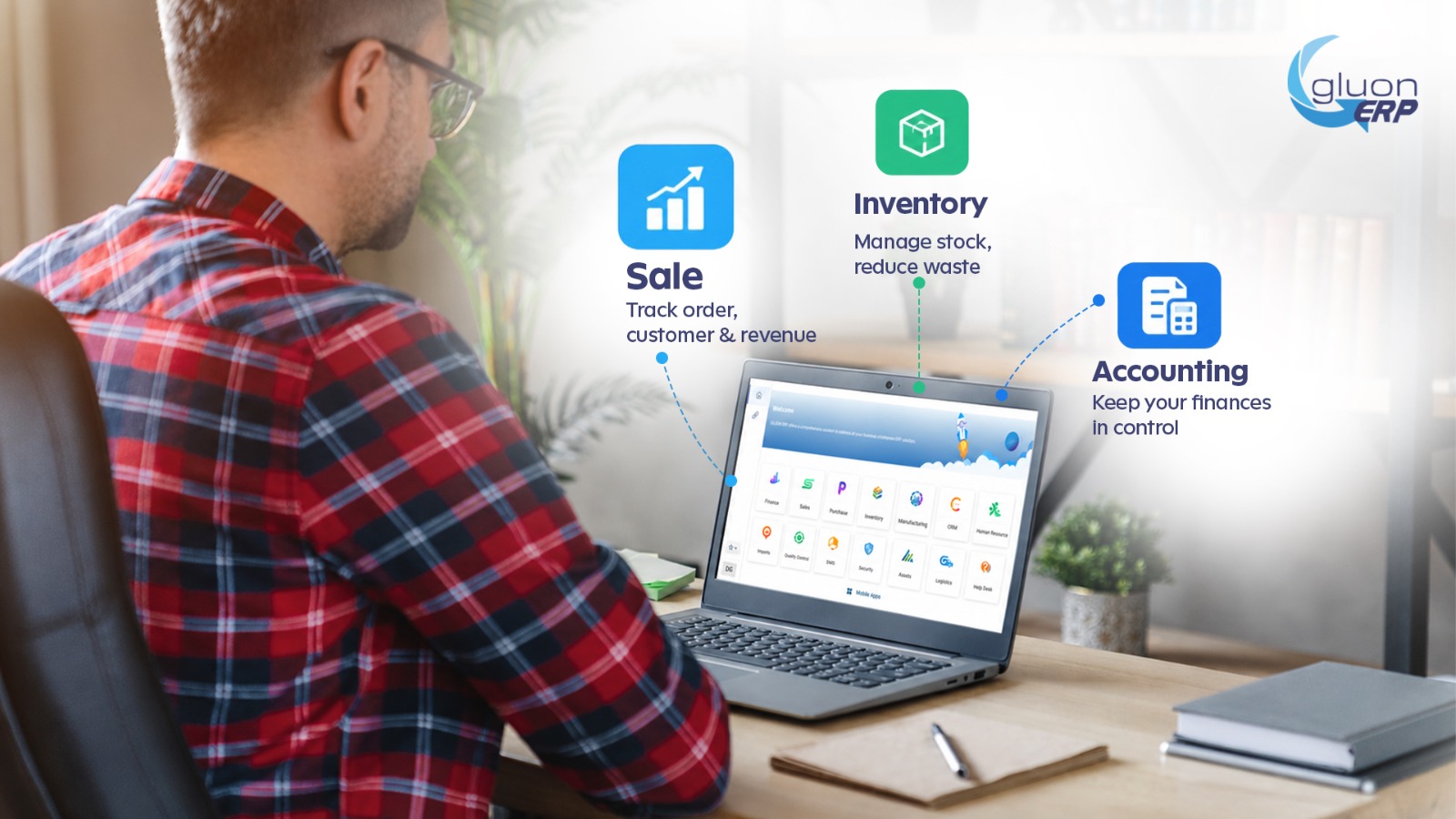
What Is an ERP? A Plain-English Guide for Pakistani Business Owners
What Is an ERP?
ERP stands for Enterprise Resource Planning. It is a single software system that connects all the major parts of your business: sales, purchasing, inventory, accounting, HR, payroll, and production, so they share one database instead of working in separate silos.
Think of it like this: instead of having five different notebooks and ten Excel files, you have one central system where every department enters and sees the same, up-to-date information.
A simple example: When your sales team creates an invoice for 100 units of a product:
- Inventory automatically reduces by 100 units.
- Accounts automatically record the sale and the customer's receivable.
- The purchasing team sees that stock is running low and can reorder.
- Management sees the updated profit and loss report instantly.
No double entry. No calling five people. No guesswork.
Why Do Pakistani Businesses Need ERP Software?
Pakistani businesses face challenges that make a good business management system more important than ever:
- Rising tax and compliance requirements. FBR sales tax filing, withholding tax, and invoice integration demand accurate records.
- Inflation and tight margins. When costs change quickly, you need real-time costing and pricing visibility.
- Manual errors and fraud risk. Paper records and scattered spreadsheets make mistakes and theft hard to detect.
- Multiple branches and warehouses. Whether you operate in Lahore, Karachi, Faisalabad, or Islamabad, you need a unified view of every location.
- Growth pressure. Spreadsheets work at 10 invoices a day. They break at 500.
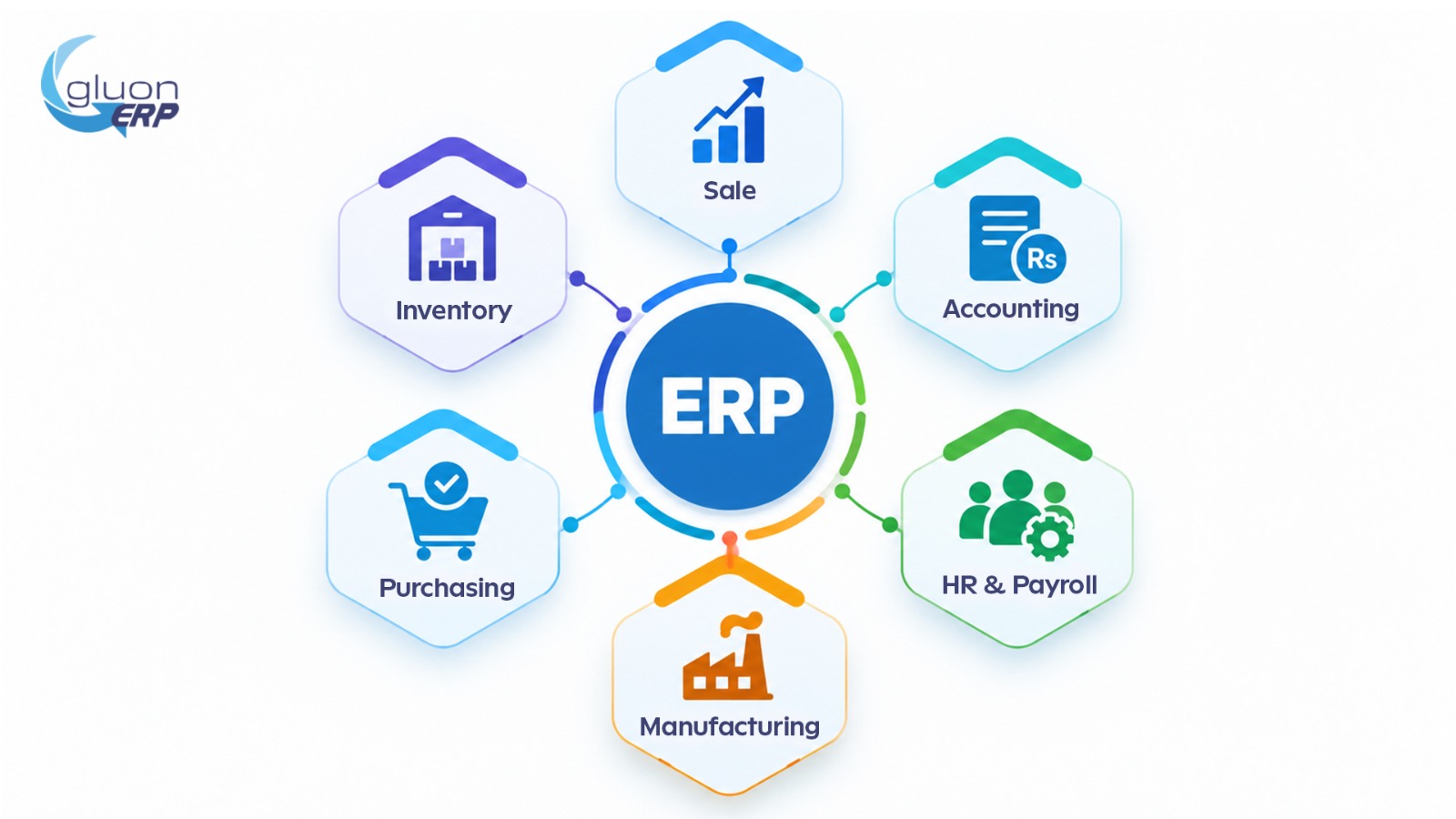
Key Modules of an ERP System
Most ERP software is built from modules. You can start with the ones you need and add more later.
1. Accounting and Finance
General ledger, accounts payable and receivable, bank reconciliation, budgeting, multi-currency support, and financial statements. For Pakistani companies, look for support for sales tax invoices, withholding tax, and FBR-ready reports.
2. Inventory and Warehouse Management
Real-time stock levels, batch and expiry tracking, barcode scanning, reorder alerts, and multi-warehouse transfers. This is especially valuable for traders, distributors, and retailers.
3. Sales and CRM
Quotations, sales orders, invoicing, customer history, and pipeline tracking, so your team never loses a lead.
4. Purchasing and Supplier Management
Purchase orders, vendor comparisons, goods received notes, and supplier payment tracking.
5. HR and Payroll
Employee records, attendance, leave, salary processing, EOBI and other deductions, and loans or advances.
6. Manufacturing (MRP)
Bill of materials, production planning, work orders, and cost tracking. Essential for textile, food, pharmaceutical, and engineering units.
7. Point of Sale (POS)
Retail billing connected directly to inventory and accounts, important for stores and restaurants, including integration requirements where applicable.
8. Reporting and Business Intelligence
Dashboards and reports that show sales, profit, cash flow, and stock at a glance, on your phone or laptop.
Top Benefits of ERP for Small and Medium Businesses (SMEs)
- One source of truth. Everyone works with the same accurate data.
- Time savings. Automate invoicing, reconciliation, payroll, and reports.
- Better cash flow control. Track receivables, payables, and stock investment in real time.
- Fewer errors. Eliminate duplicate entry and manual calculation mistakes.
- Stronger tax compliance. Cleaner records make filing and audits far less stressful.
- Data-driven decisions. See which products, customers, and branches make you money.
- Scalability. Add users, branches, and modules as your business grows.
- Fraud prevention. User roles, approvals, and audit trails reduce internal risk.
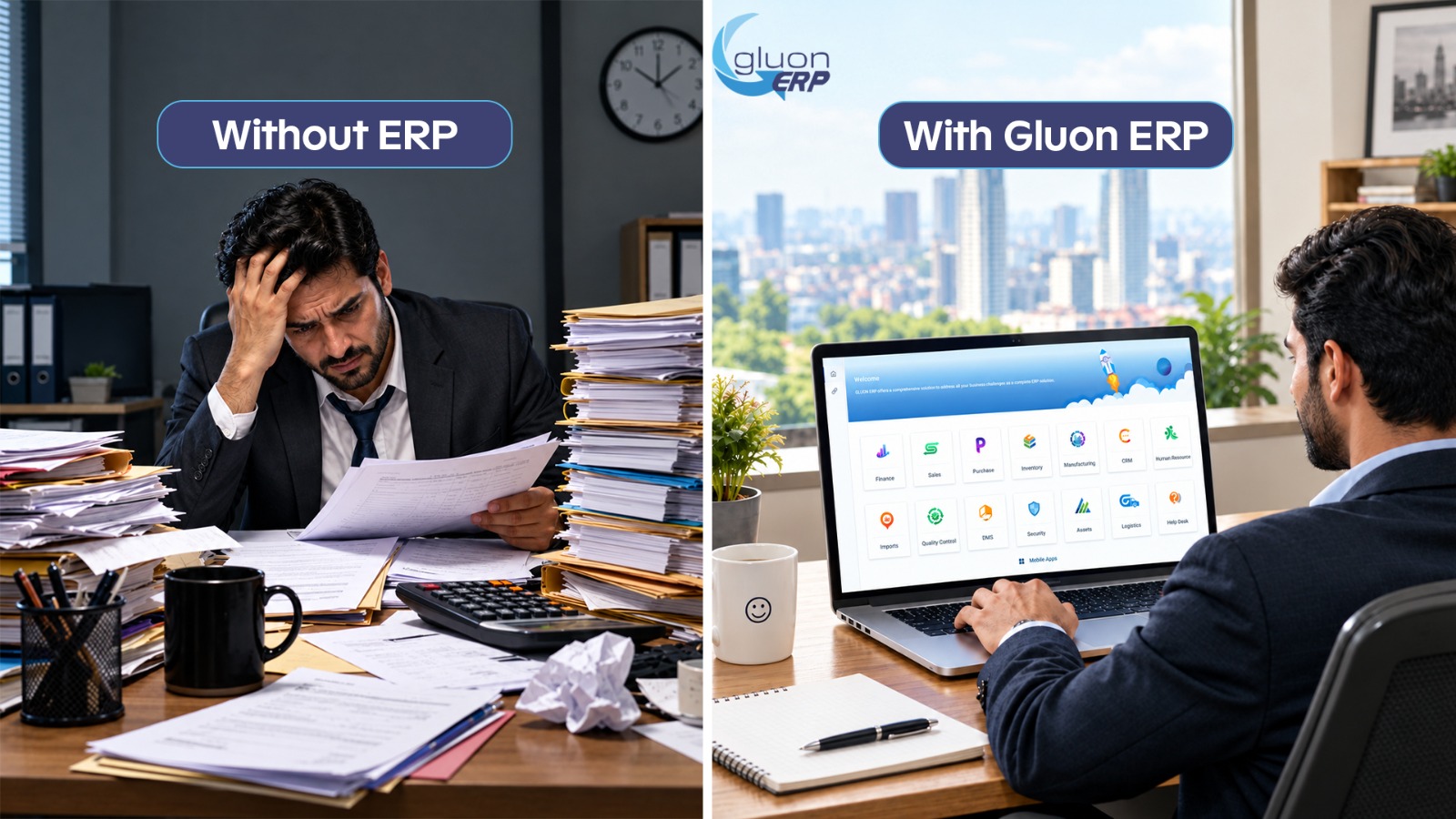
Cloud ERP vs On-Premise ERP: Which Is Better for Pakistan?
Our take: For most SMEs, cloud ERP is the practical choice because it avoids heavy hardware spending and lets owners monitor the business from anywhere. Larger enterprises with strict data policies may prefer on-premise or a hybrid setup. Whichever you choose, make sure there is a reliable backup plan for load-shedding and internet outages.
How Much Does ERP Cost in Pakistan?
There is no single price. ERP cost depends on:
- Number of users
- Modules required
- Customization and integrations
- Cloud subscription vs one-time license
- Implementation, data migration, and training
- Ongoing support and maintenance
Options range from affordable subscription tools suited to small shops, to open-source platforms like Odoo, to enterprise systems such as SAP Business One, Microsoft Dynamics 365, and Oracle NetSuite, as well as software from local Pakistani vendors that understand local tax and reporting needs. Always request a detailed quotation that separates license, implementation, training, and support fees, and ask about hidden costs.
7 Features to Look for in an ERP for Pakistani Businesses
- Local tax and FBR compliance: sales tax invoices, withholding tax, and required reports.
- Urdu and English support: helpful for staff, invoices, and customer documents.
- Multi-currency and PKR handling: vital for importers and exporters.
- Mobile access: approvals and dashboards on your phone.
- User roles and permissions: control who sees and edits what.
- Local support: a responsive team in your time zone, ideally speaking your language.
- Integration options: banks, e-commerce stores, courier services, and payment gateways.
How to Implement ERP Successfully: Step by Step
Step 1: Define your goals. What problems are you solving: stock mismatches, slow reporting, tax errors, or branch control?
Step 2: Map your current processes. Document how sales, purchasing, and accounting work today.
Step 3: Set a realistic budget and timeline. Include training and support, not just software.
Step 4: Shortlist and demo. Ask 3 to 4 vendors for demos using your real business scenarios.
Step 5: Check references. Speak to Pakistani businesses in your industry that already use the system.
Step 6: Clean and migrate your data. Customer lists, item masters, and opening balances should be accurate before going live.
Step 7: Train your team. The best ERP fails if staff don't use it properly.
Step 8: Go live in phases. Start with core modules, then expand.
Step 9: Review and improve. Track results after 30, 60, and 90 days.
Common ERP Mistakes to Avoid
- Choosing the cheapest option without checking local support
- Over-customizing from day one
- Ignoring staff training and resistance to change
- Migrating messy, inaccurate data
- Trying to implement every module at once
- Not assigning an internal project owner
Which Industries in Pakistan Benefit Most from ERP?
- Textile and garments: costing, production tracking, export documentation
- Distribution and trading: stock control, credit limits, route sales
- Retail and wholesale: POS, multi-branch inventory, pricing control
- Manufacturing: MRP, quality control, material planning
- Pharmaceuticals: batch and expiry tracking, regulatory records
- Construction and real estate: project costing, contractor payments
- Services and IT companies: time tracking, project billing, payroll
Is ERP Right for Your Business?
Consider an ERP if you answer yes to several of these:
- Do you use multiple Excel files to run your business?
- Is month-end closing slow and stressful?
- Do you often find stock differences between records and the warehouse?
- Do you have more than one branch, warehouse, or sales team?
- Do you struggle to see real-time profit and cash flow?
- Is your tax compliance getting harder to manage?
Frequently Asked Questions About ERP in Pakistan
What does ERP stand for? ERP stands for Enterprise Resource Planning.
Is ERP only for big companies? No. Modern cloud ERP systems are designed for small and medium businesses as well.
How long does ERP implementation take? A simple setup can take a few weeks. Complex, multi-branch or manufacturing implementations can take several months.
What is the difference between ERP and accounting software? Accounting software handles finances. ERP covers accounting plus inventory, sales, purchasing, HR, production, and more in one connected system.
Can ERP help with FBR compliance? A well-configured ERP produces accurate tax invoices and reports, which makes compliance easier. Always confirm current FBR requirements with your tax advisor and your software vendor.
Is open-source ERP a good option? Yes, for businesses that want flexibility and lower license costs, as long as you have a competent implementation partner.
An ERP is not just software. It is a foundation for growth. For Pakistani business owners facing tax pressure, rising costs, and growing competition, a well-chosen ERP brings control, clarity, and confidence. Start by understanding your needs, shortlist reliable vendors, insist on local support, and implement in phases.
The businesses that organize their data today are the ones that will scale faster tomorrow.
Ready to take the next step? Book a demo with an ERP provider, list your top five business problems, and see how the software solves each one before you commit.
One platform.
Every part of your business.
Request Your Free
Gluon ERP Demo



and ERP insights delivered to your inbox.


