Power Smarter Manufacturing

Plan production, manage processes, and monitor operations from one platform.
Plan Better. Produce More. Stay in control.

Plan, track, and manage your manufacturing operations.
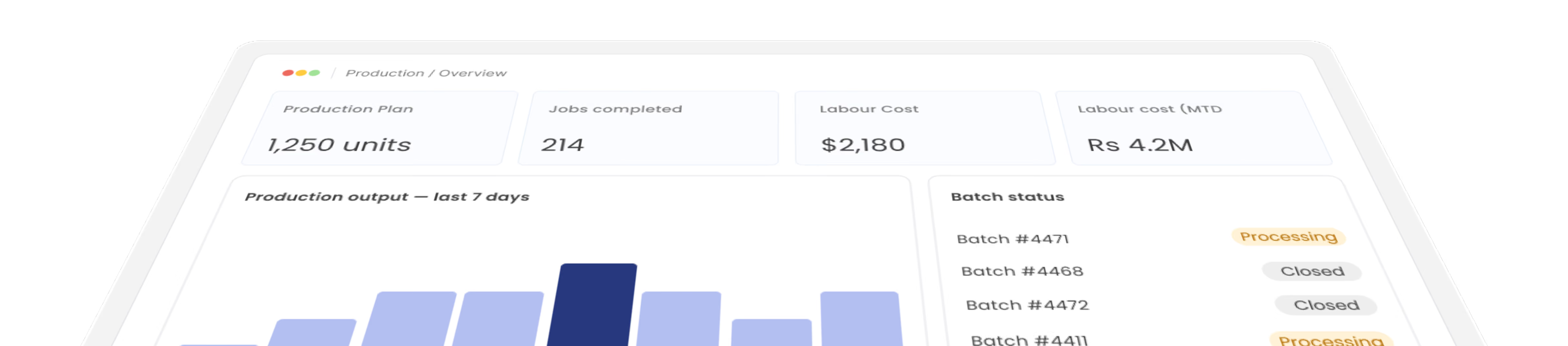
Gluon ERP production overview hero dashboard featuring key metrics for planned units, completed jobs, labor costs, output trends, and batch status.

Manufacturing Made Simple

Let's re define the modern manufacturing using Gluon ERP which helps manufacturing plants dealing with raw material till the finished good. It's more than a single screen solution which helps you throughout the manufacturing processes ranging from effective distribution and planning to project management, material requirement and planning, quality control and much more.

Coordination and processing

GLUON manufacturing app helps to monitor day-to-day production progress. On completion of any work order, the information will pass on to dispatch for delivery. Reports on delivery schedule will be available in this module.
Flexible Cost Roll-Ups

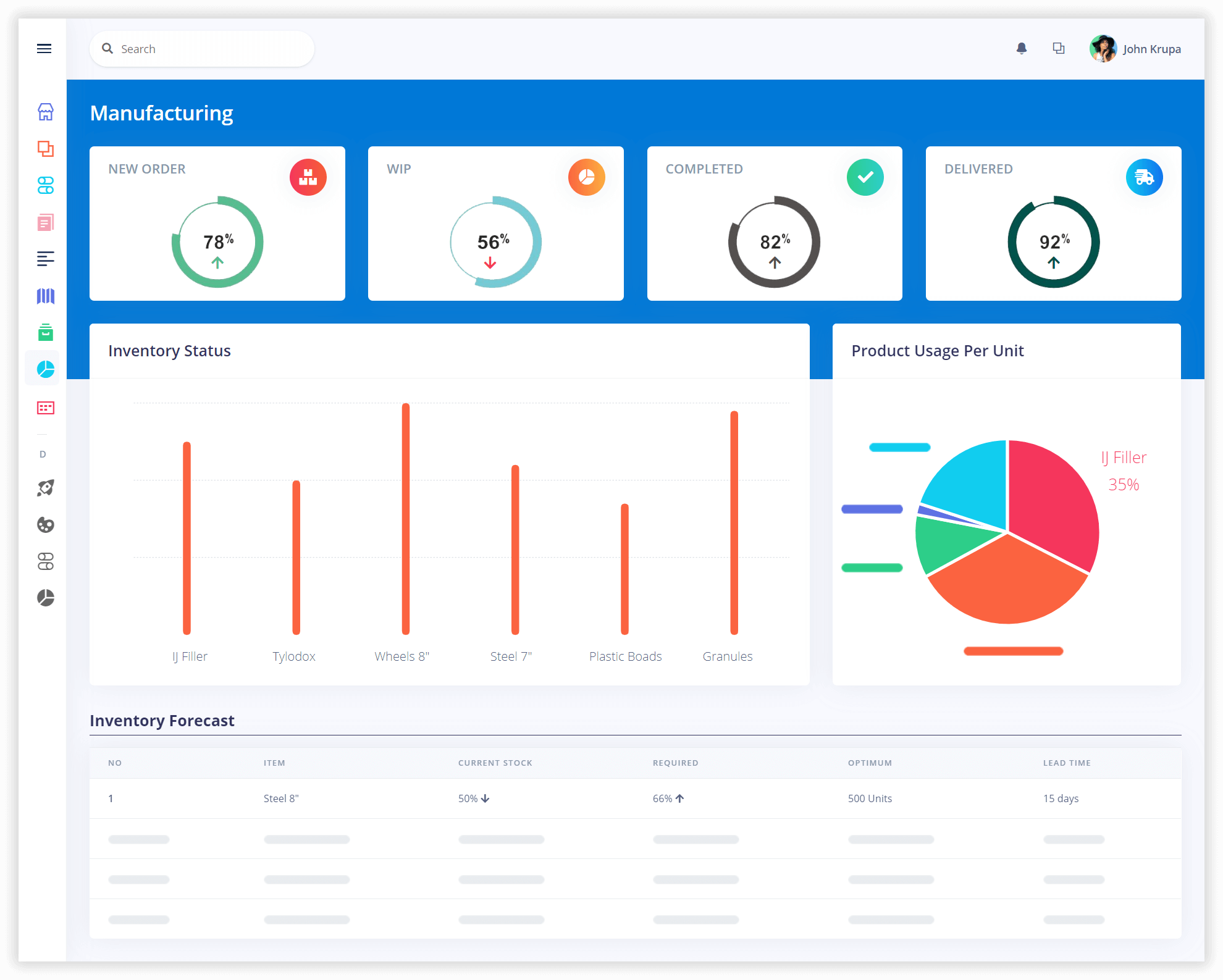
Cost roll-up capabilities are used as a planning tool for viewing projected costs and analyzing the impacts of changes to bills of materials, routing, and cost center rates. This manufacturing app automatically saves the product structures and other source information which uses in the cost roll-up process.
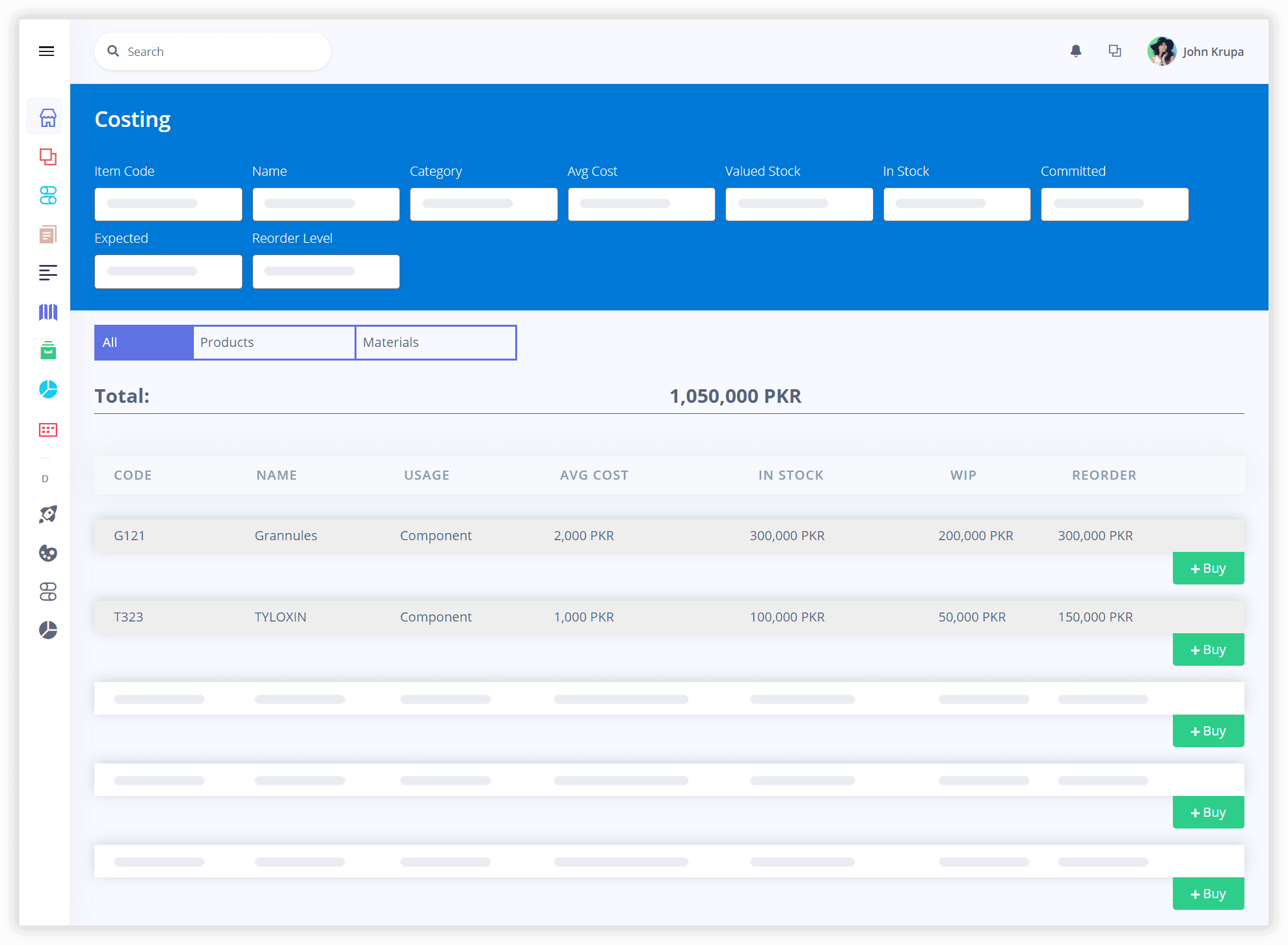
The Manufacturing app Covering all the essential tasks

The module takes care of production needs such as managing bill of material (BOM), routings, shop floor execution system, materials requirement planning, production orders, etc. It gives you accurately assess needs and produce balanced and economic outputs.

Production Planning

Keep Every Production Plan on Track.

Turn production plans into clear tasks, assignments, and batches.
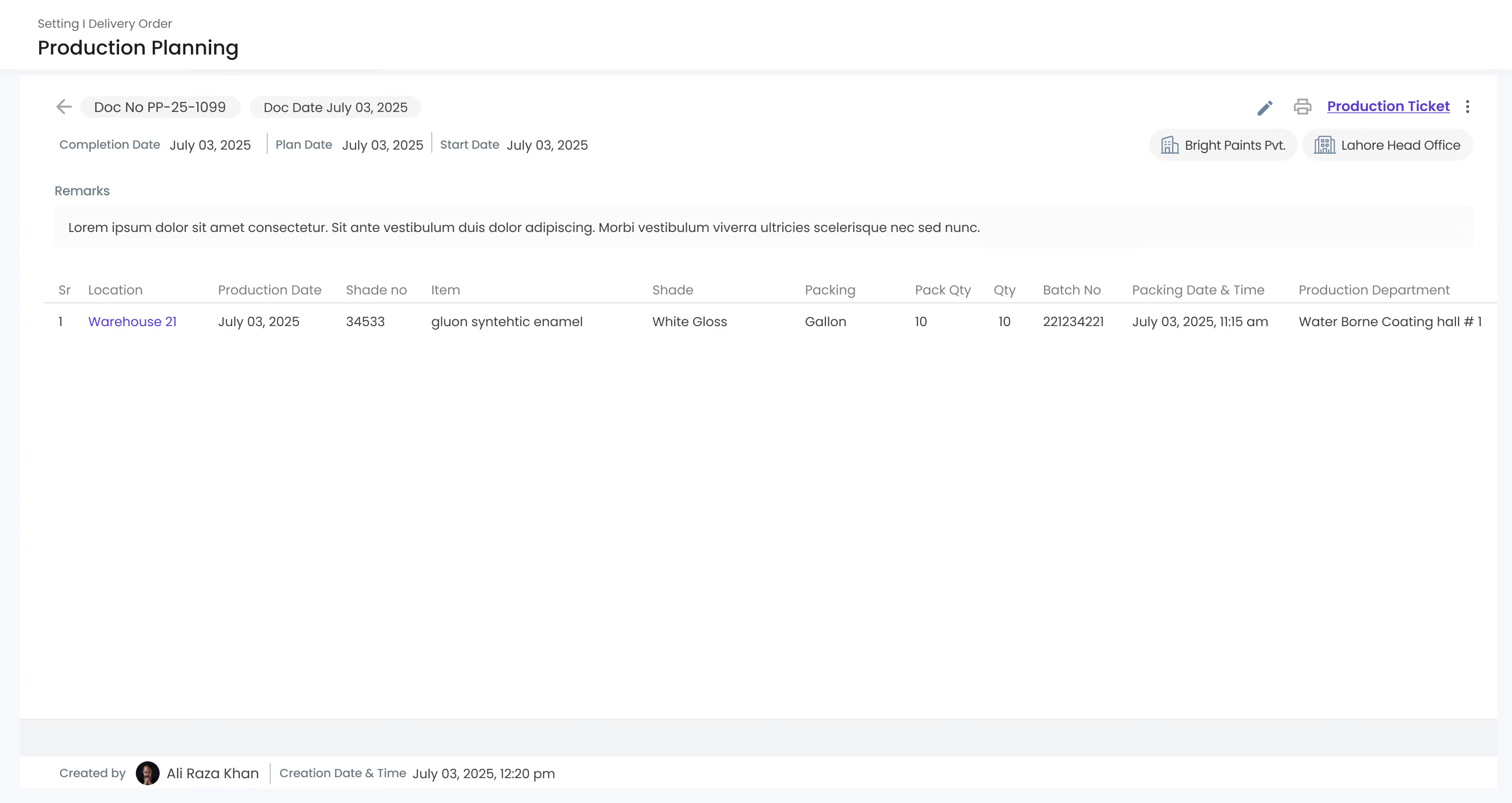
Gluon ERP production planning interface displaying document details, dates, and itemized batch schedules.
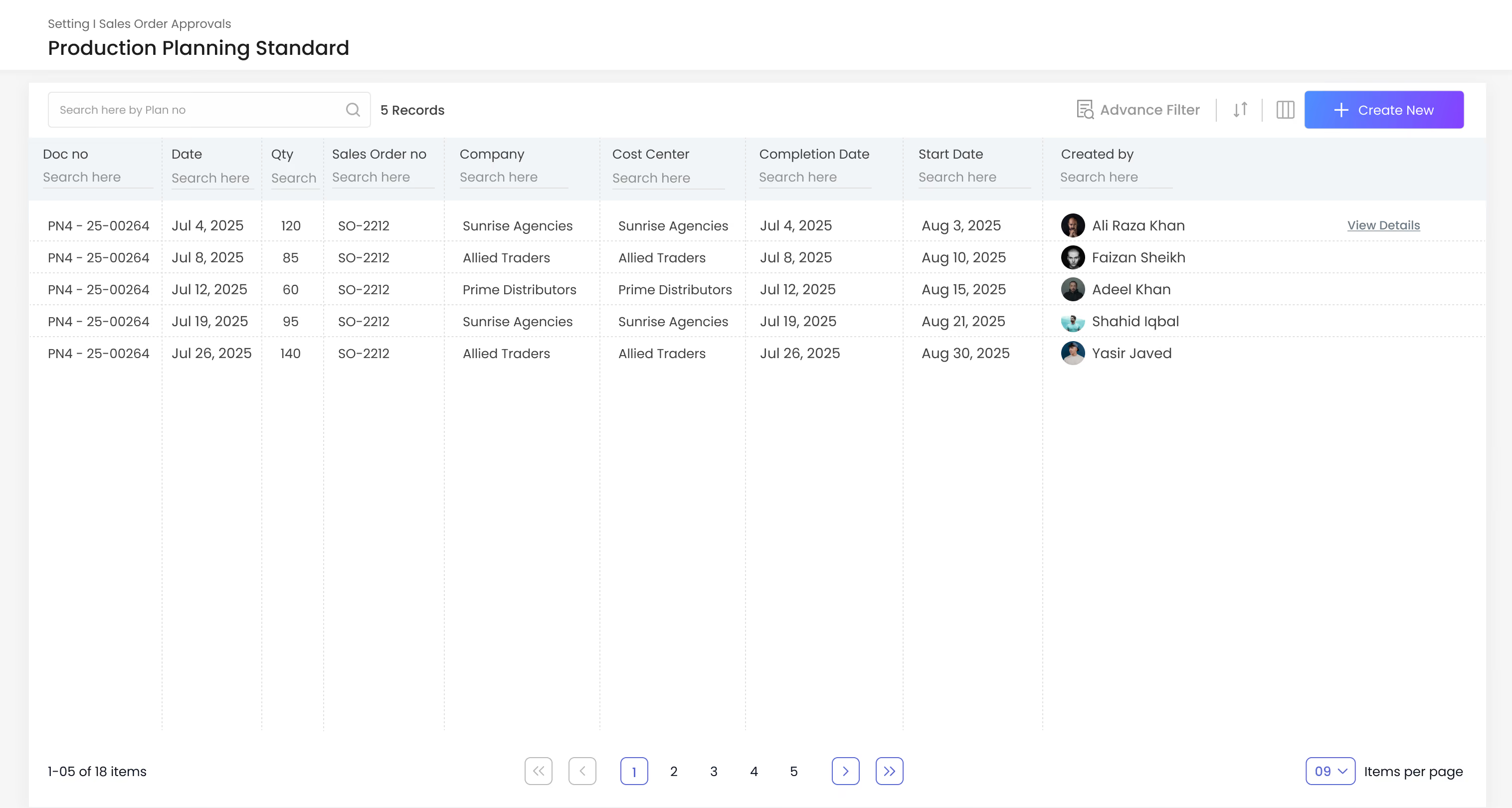
Gluon ERP production planning standard table listing sales order numbers, completion dates, and creation logs.

1.Production planning

Define output, quantity, and timeline.

2.Production tickets

Issue tickets straight to the shop floor.

3.Department-wise production

Split plans across departments.

4.Batch management

Group jobs into batches and track each one to close.
Gluon ERP production planning interface displaying document details, dates, and itemized batch schedules.
Gluon ERP production planning standard table listing sales order numbers, completion dates, and creation logs.

Track every production order from start to finish.

Follow each order through every production stage and monitor progress until completion.
01

Order Setup

Create a production order and assign it to the right team.
02

Processing

Track each step of the production process.
03

Production

Record output, time, and labour as work is completed.
04

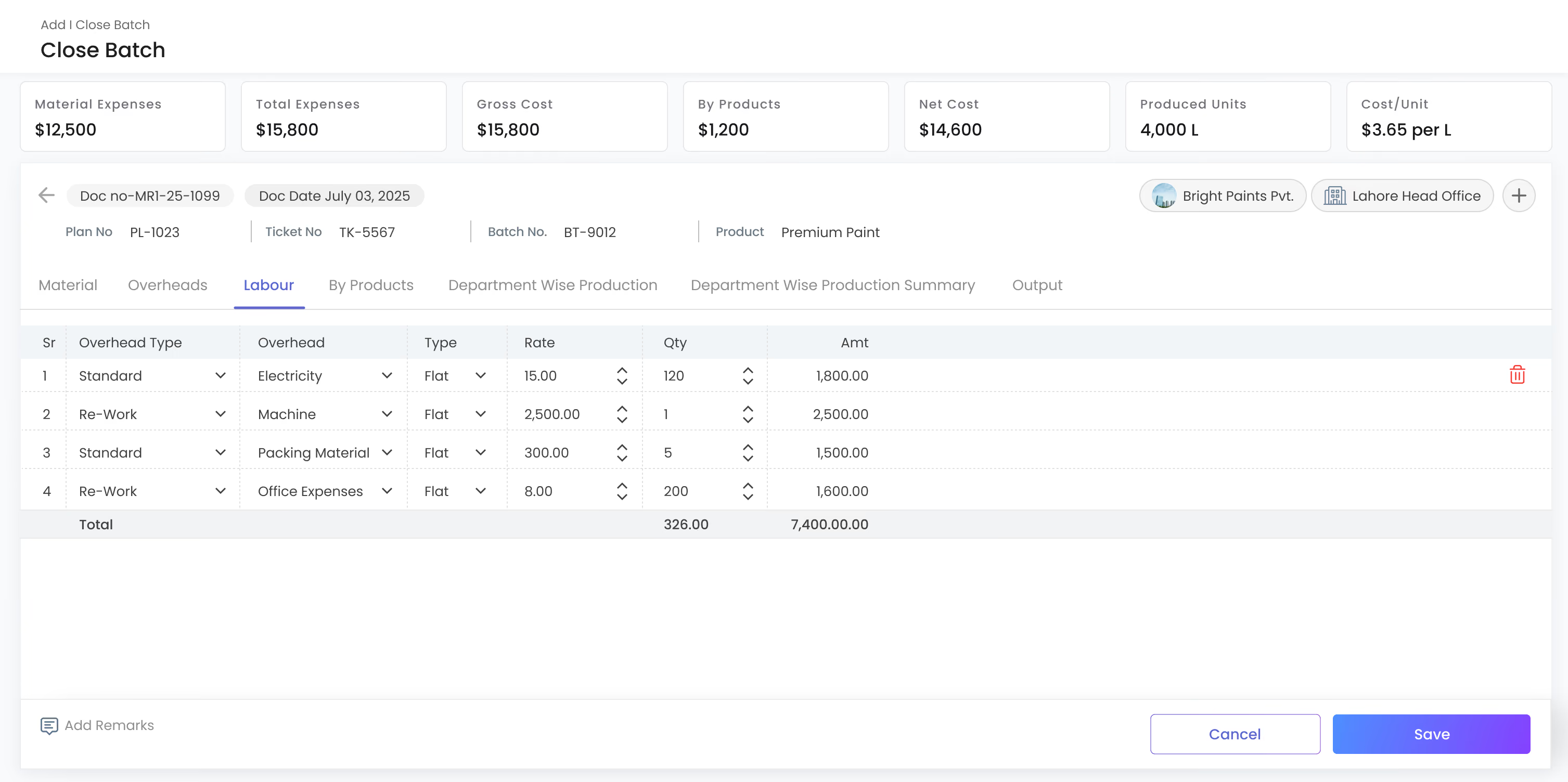
Close Batch

Check quantities and costs, then close the batch.
Production Cost Control

See Where Production Costs Go.

Monitor production costs, labour, quantities, and output in one place.
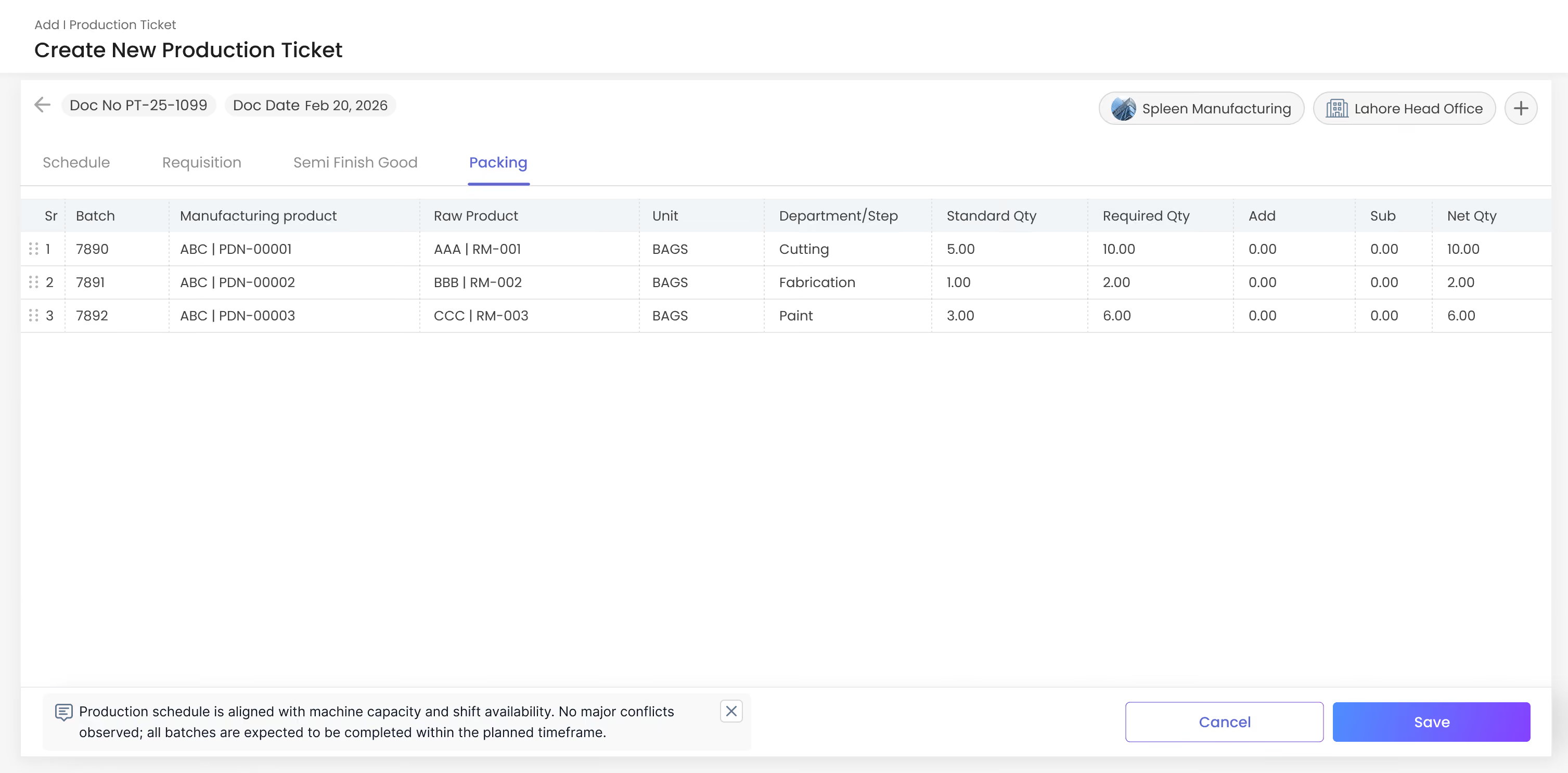
Gluon ERP interface for creating new production tickets with packing specs, batch details, and quantity metrics.
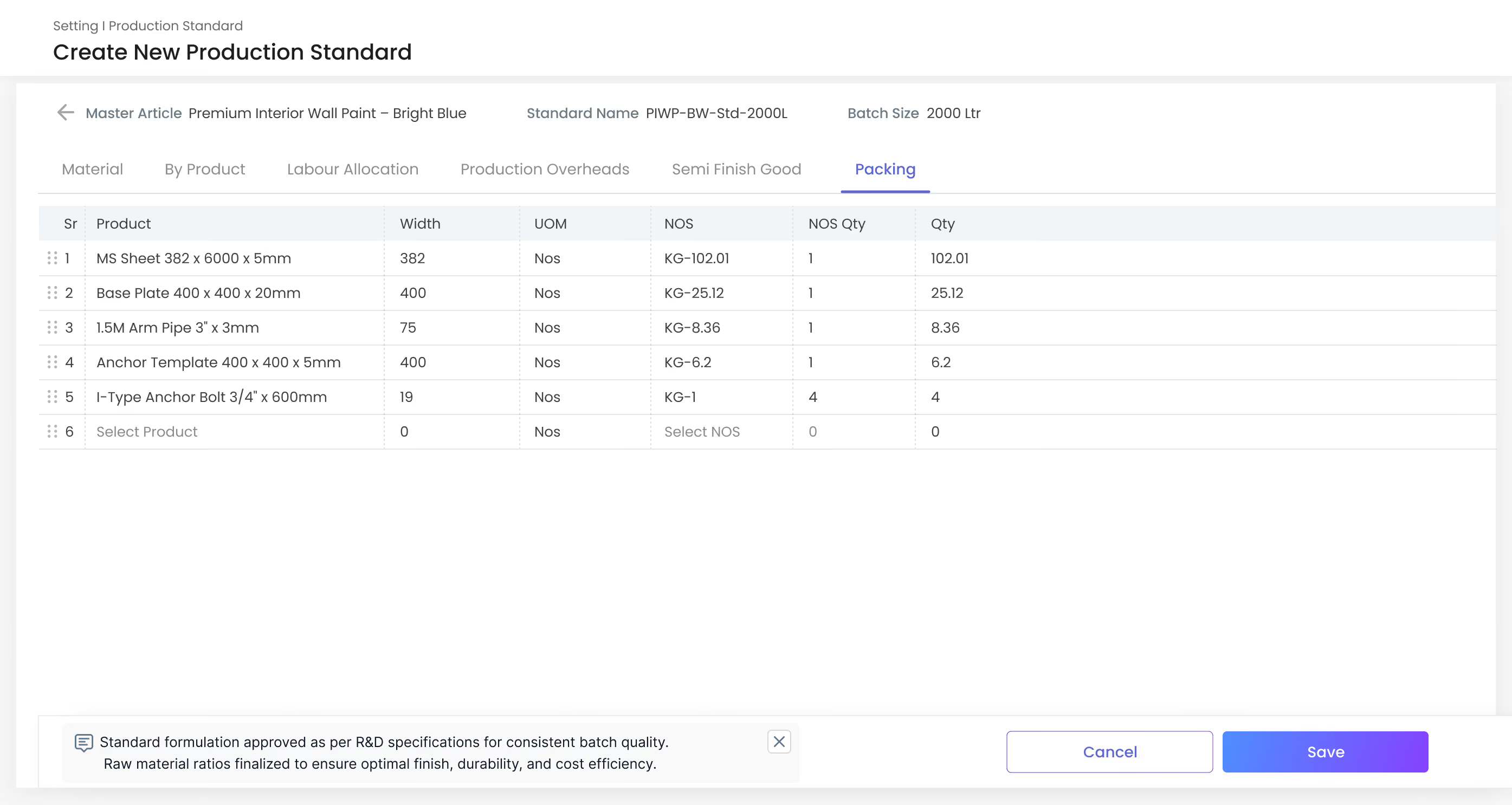
Gluon ERP production standard form showing material, labor, and overhead specifications for wall paint manufacturing.
Gluon ERP close batch dashboard displaying material expense metrics, gross cost breakdown, and overhead itemization.
icons

Production Ticket

Set output, quantity, and timeline.
icons

Production Standard

Set targets for each production step.
icons
Close Batch
Review costs and output, then close the batch.
Gluon ERP interface for creating new production tickets with packing specs, batch details, and quantity metrics.
Gluon ERP production standard form showing material, labor, and overhead specifications for wall paint manufacturing.
Gluon ERP close batch dashboard displaying material expense metrics, gross cost breakdown, and overhead itemization.
Production Control

Track Production by Department

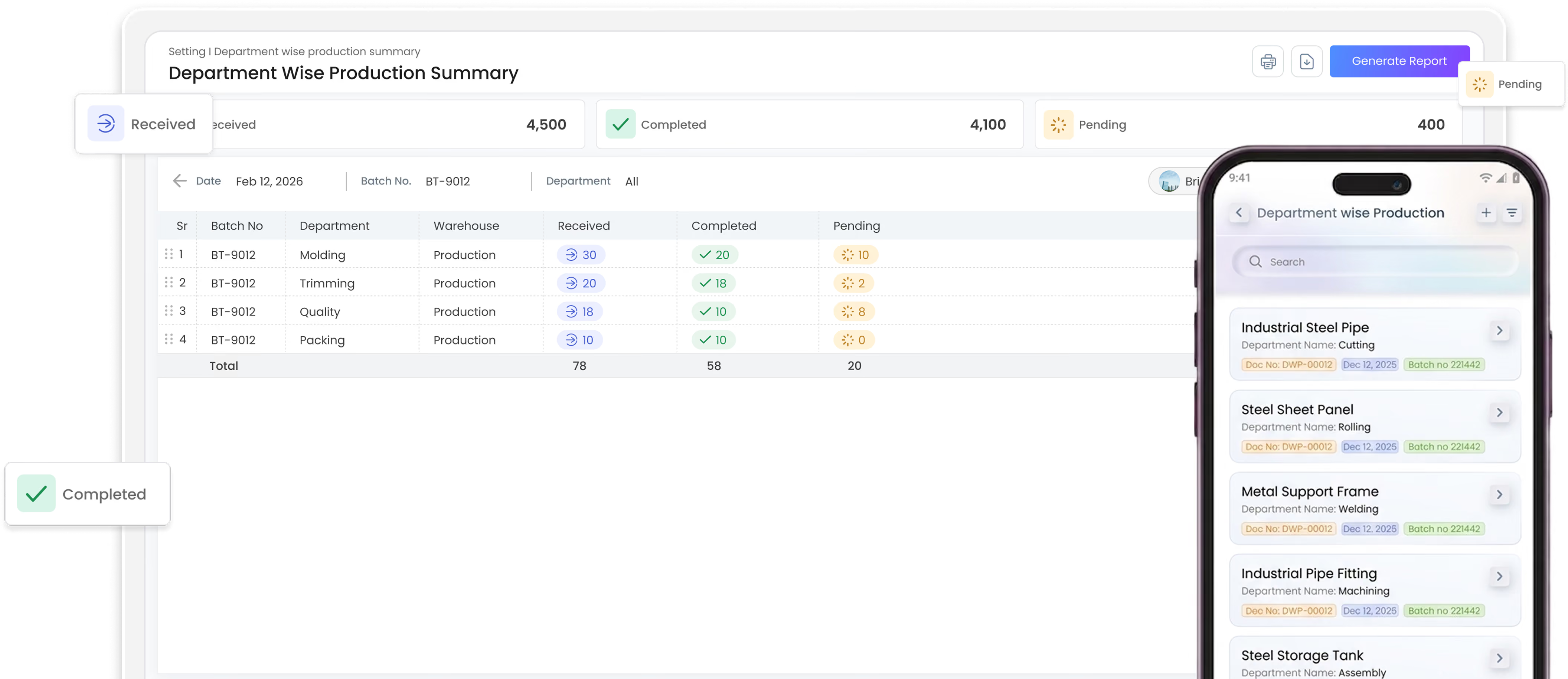
Track completed, pending, and received production across departments.
manufacturing icon
Manufacturing App
icons

Department-wise production

Track production status across all departments.
icons

Assign and approve

Assign products, teams, and production dates with ease.
icons

Filter & Find

Quickly filter production by department, machine, employee, or status.
Gluon ERP department-wise production summary interface with web table metrics and mobile app order tracking view.

Ready to take control of production?

Bring production planning, orders, resources, machines, labour, and costs together with Gluon Manufacturing.
Book a Demo
Stock Estimation Report

Plan Production with the Actual Stock.
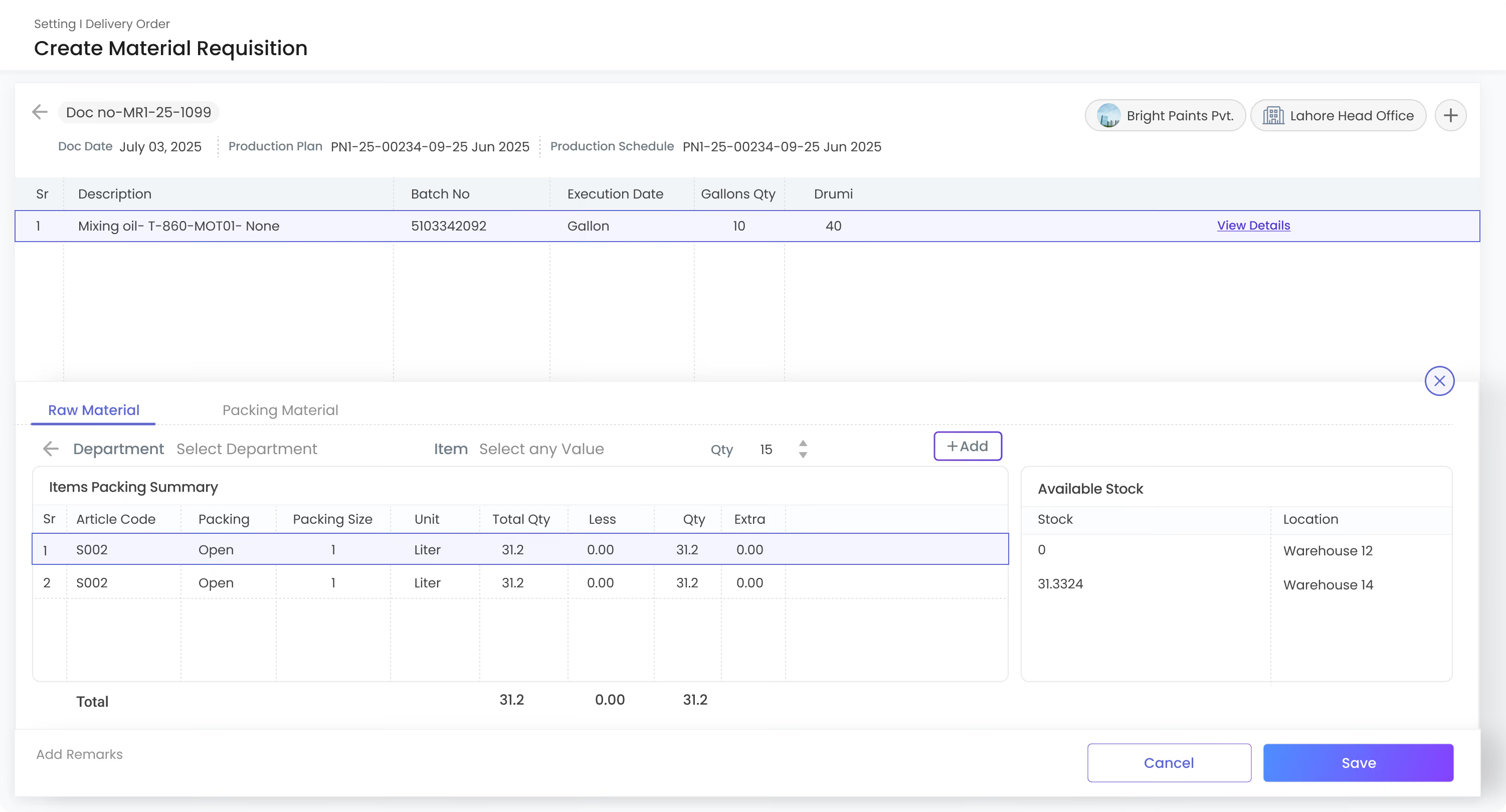
See available, required, and allocated stock to identify material shortages before production starts.
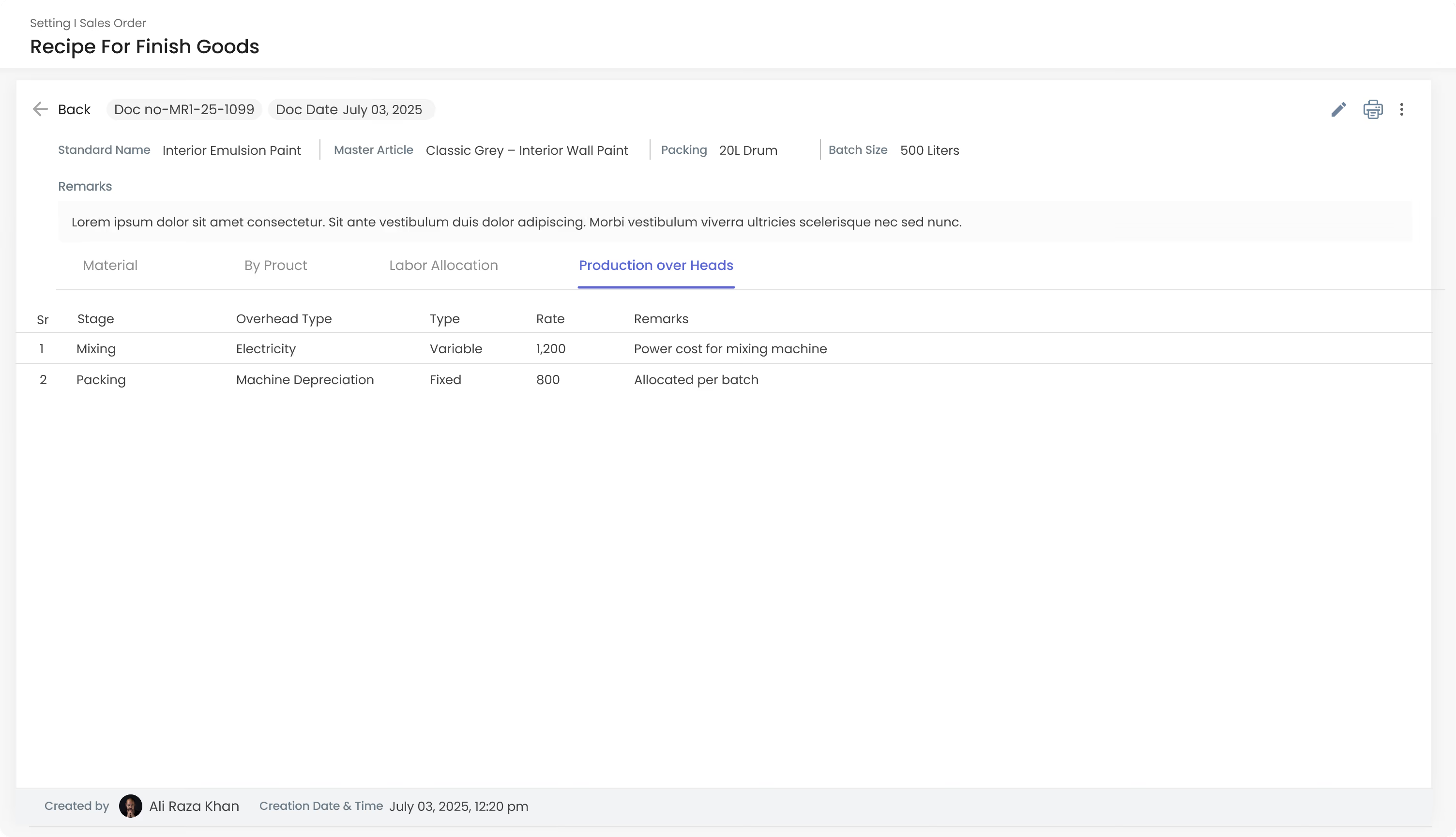
Gluon ERP recipe for finished goods interface listing production overhead stages, machine depreciation, and rate details.
Gluon ERP material requisition form displaying batch schedule execution, packing item summaries, and warehouse stock levels.
icons

Stock Availability

Check available stock against the quantity needed for production.
icons

Material Shortages

Quickly identify items with insufficient stock and see the shortage quantity.
icons
Production Plan
View stock requirements based on the selected production plan.
icons
Stock by Warehouse
Check material availability across different warehouses.
Gluon ERP recipe for finished goods interface listing production overhead stages, machine depreciation, and rate details.
Gluon ERP material requisition form displaying batch schedule execution, packing item summaries, and warehouse stock levels.
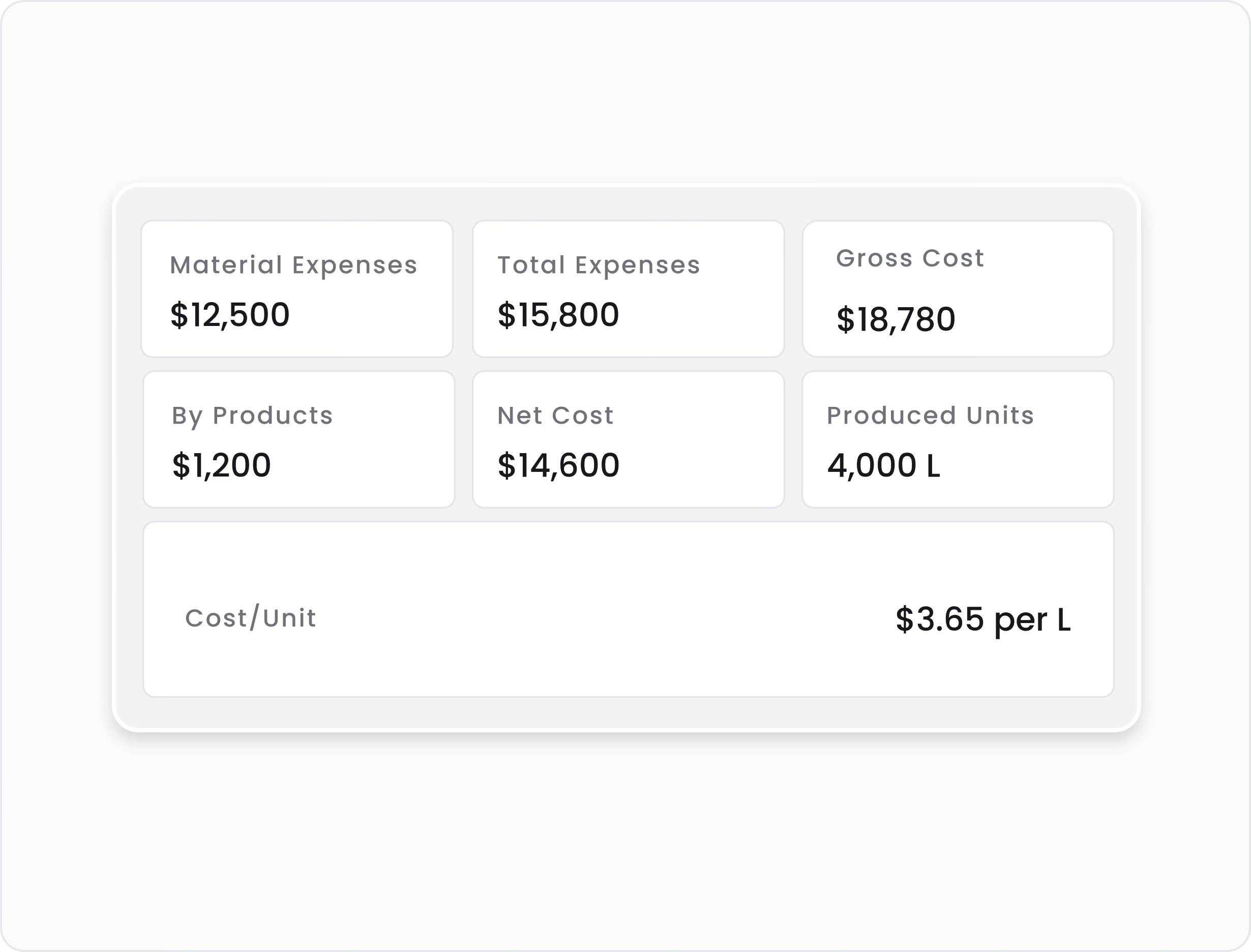
Gluon ERP batch costing summary card displaying material expenses, net cost, produced units, and cost per unit.
Labour & Cost Control

Make Production Costs Clear.

See where your production costs go and how much each unit costs.
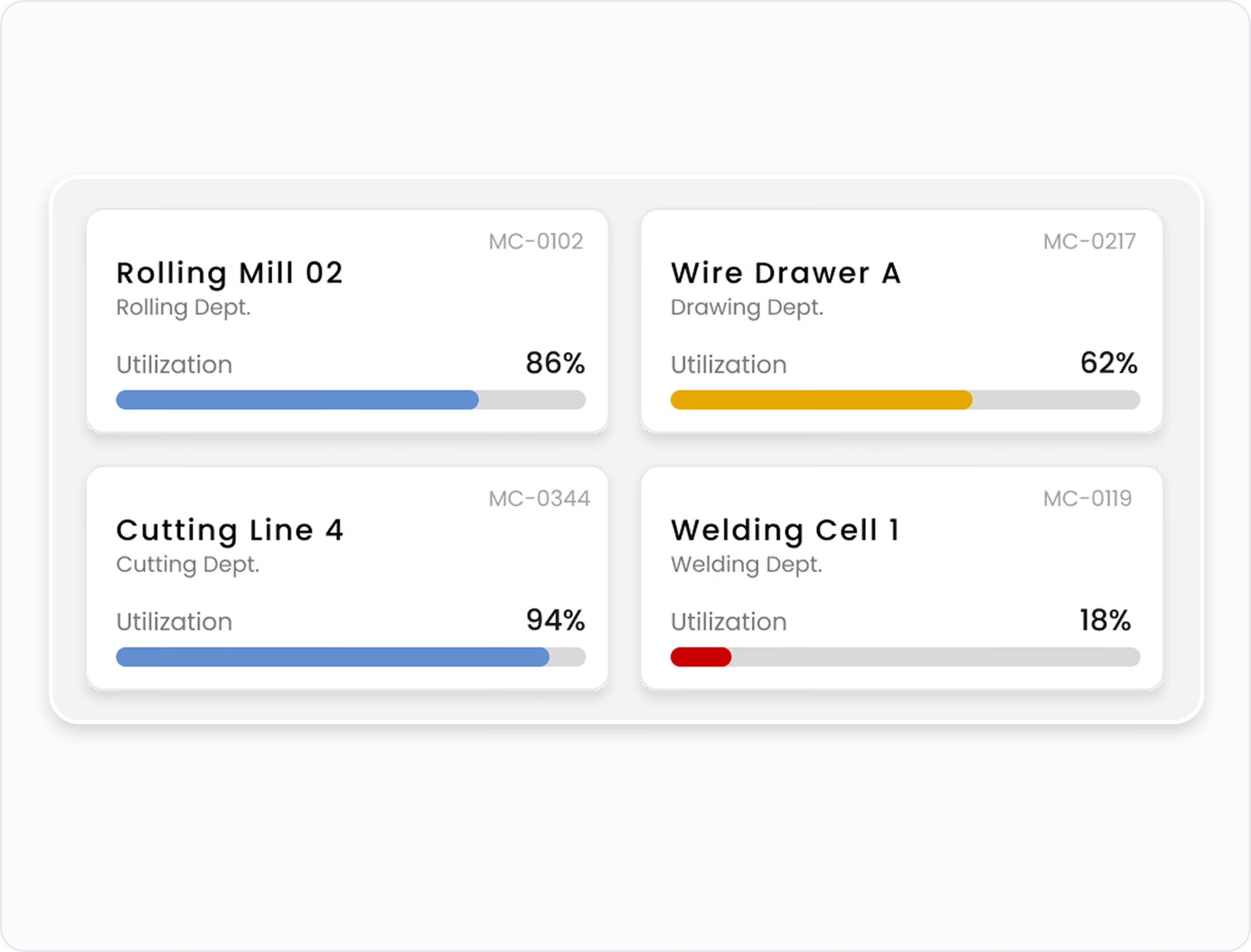
Gluon ERP machine utilization cards displaying operational capacity percentages for rolling, drawing, cutting, and welding departments.
Production Resources

Manage Machines for Better Production.

Monitor machine usage, capacity, and utilization to improve production efficiency
Manufacturing Features

Everything You Need for Manufacturing Management.

Production Planning

Plan products, quantities, and production timelines.

Production Ticket

Create and track production orders with ease.

Department-wise Production

Track production progress across departments.

Batch Management

Review costs, quantities, and output before closing.

Production Processing

Track every step of the production process.

Production Order Creation

Create orders and assign them to the right department.

Labour Cost Tracking

Track labour hours and production costs.

Machine Management

Manage machines, capacity, and production resources.

Machine & Product Mapping

Map machines to the products they can produce.

Production Standards

Set production targets and track performance.

Department & Process Management

Organize production steps by department.

Manufacturing Dashboard

Monitor production performance in one place.

Stock Estimation Report

Check material needs against available stock.

Built for Every Department

Finance
Sales
Purchase
Inventory/Warehouse
Manufacturing
CRM
Human Resource
Imports
Quality Control
Distribution/Secondary Sales
Assets

One platform.
Every part of your business.

and
working together in one powerful, connected platform.
Book a Demo
Built to simplify. Designed to scale.