
How Proforma Invoices Support Better Business Transactions
A proforma invoice gives customers a clear view of costs, payment terms, and delivery details before a sale is finalized. See how the process works step by step and how Gluon ERP connects sales and finance.
How Proforma Invoices Support Better Business Transactions
Managing customer orders involves more than sharing product prices. Businesses need to prepare accurate quotations, communicate payment terms, confirm order details, and keep transaction records organized.
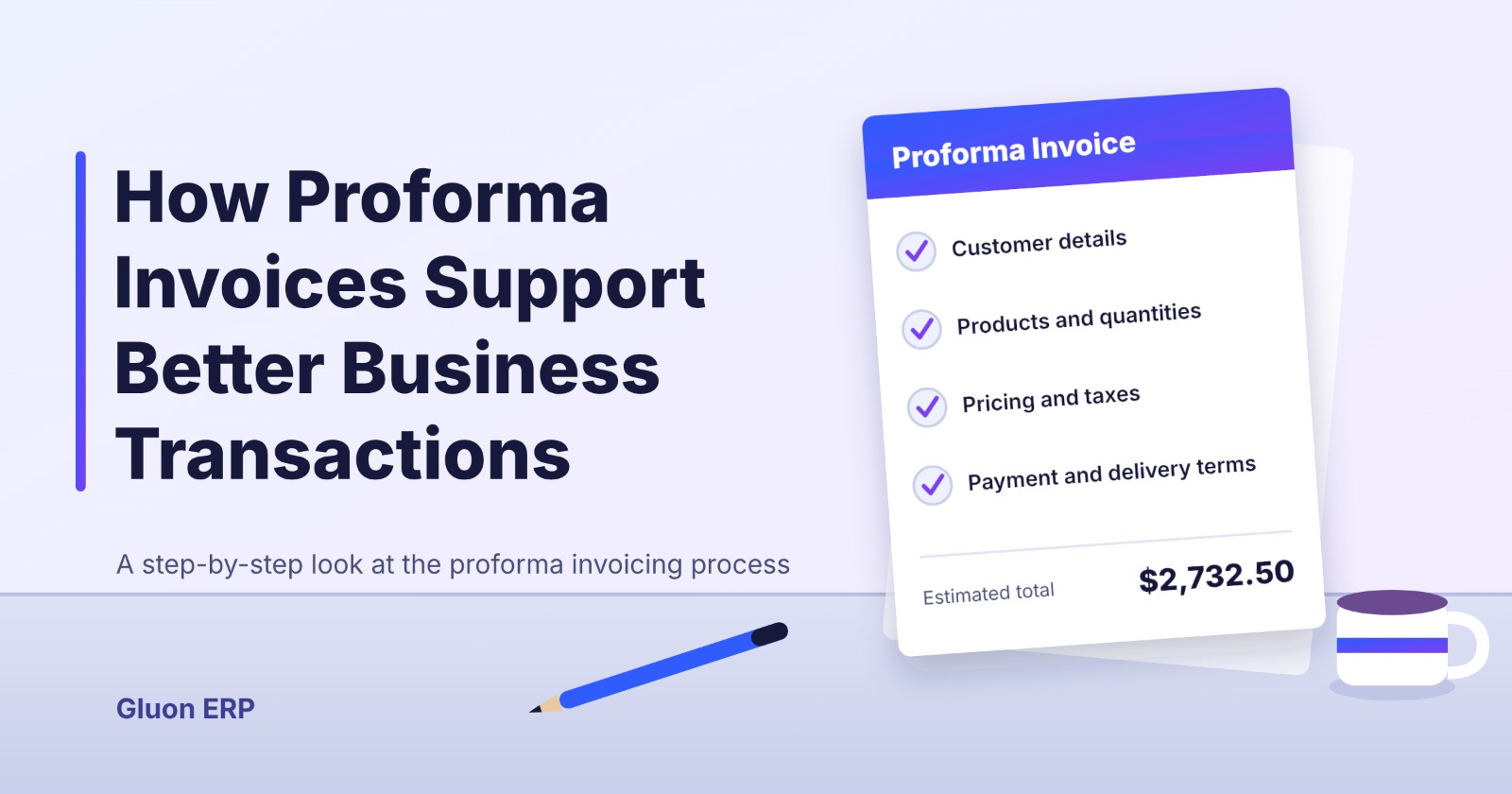
A proforma invoice helps businesses handle these steps before a sale is finalized. It gives customers a clear breakdown of the proposed transaction, including product details, quantities, prices, taxes, and payment conditions.
With an integrated ERP system like Gluon ERP, businesses can manage related sales and financial activities through a connected platform, making the overall invoicing process more organized and efficient.
Let's understand how the proforma invoicing process works and how Gluon ERP supports better sales and transaction management.
1. Start with Customer Information
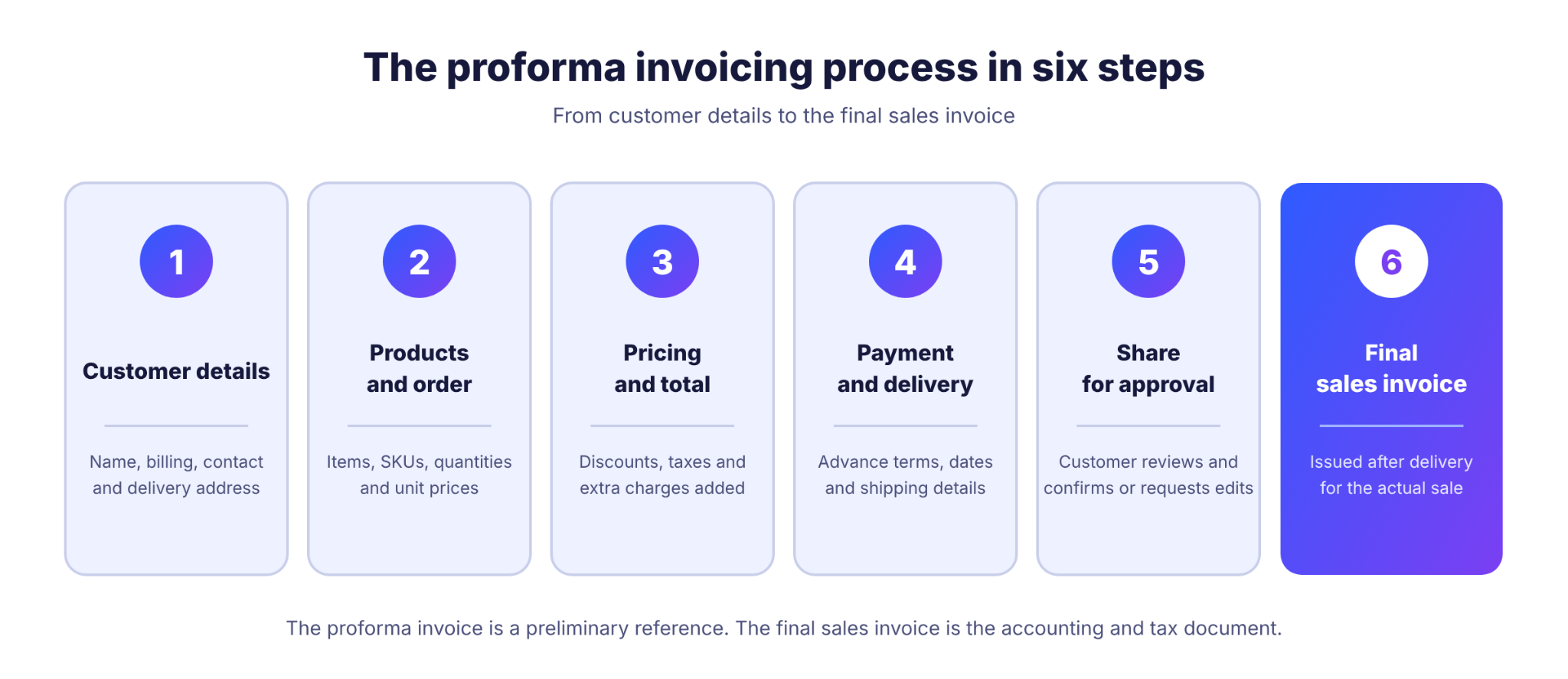
Every proforma invoice begins with accurate customer information.
Before preparing an invoice, businesses need to identify the customer and understand their purchasing requirements.
This typically includes:
- Customer or company name
- Billing information
- Contact details
- Delivery address
- Applicable customer terms
With Gluon ERP, businesses can maintain organized customer information and use it across their sales operations.
Having customer information available in one system helps reduce repetitive data entry and improves transaction accuracy.
2. Add Products and Order Details
Once customer information is available, the next step is to define what the customer intends to purchase.
Product details and quantities form an important part of a proforma invoice.
Businesses typically include:
- Product names and descriptions
- Product codes or SKUs
- Ordered quantities
- Unit prices
- Applicable discounts
- Taxes and additional charges
Gluon ERP helps businesses manage their product and sales information in an organized environment, supporting more consistent transaction records.
This is particularly useful for manufacturers, wholesalers, and trading companies handling multiple products and customer orders.
3. Review Pricing and Calculate the Total Amount
Accurate pricing is essential when preparing a proforma invoice.
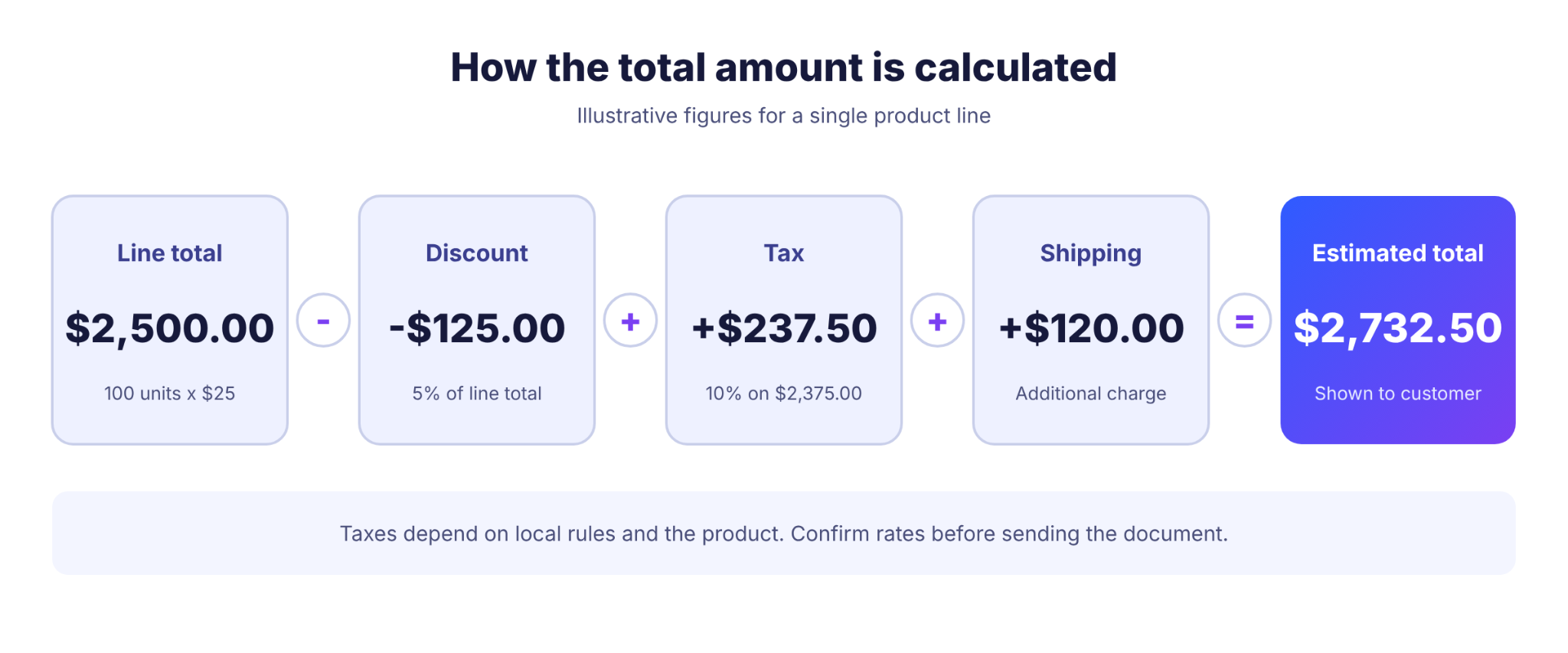
The document should clearly communicate the expected transaction value before the customer confirms the order.
The calculation generally includes:
- Product quantity multiplied by unit price
- Applicable discounts
- Taxes
- Shipping or additional charges
- Final estimated amount
An organized ERP-based sales process helps businesses maintain consistent product pricing and transaction information while reducing manual calculations and data entry.
Customers can then review the expected costs before proceeding with the purchase.
4. Define Payment and Delivery Terms
A proforma invoice should clearly explain how and when the transaction is expected to proceed.
Businesses can communicate important conditions, such as:
Payment Terms
- Advance payment requirements
- Partial payment arrangements
- Remaining payment conditions
- Agreed payment timelines
Delivery Terms
- Expected delivery date
- Delivery location
- Shipping arrangements
- Other agreed conditions
These details help both parties understand their responsibilities before the order moves forward.
Keeping sales and financial information organized through Gluon ERP can also help businesses coordinate their related sales and payment activities.
5. Share the Proforma Invoice with the Customer
After preparing and reviewing the proposed transaction details, the proforma invoice can be shared with the customer for approval.
The customer can verify:
- Product specifications
- Order quantities
- Unit prices
- Total estimated cost
- Payment conditions
- Delivery expectations
If any changes are required, the transaction details can be reviewed before proceeding.
This step helps prevent pricing misunderstandings and ensures that both parties agree on the proposed order.
6. Move from Order Confirmation to Final Invoicing
Once the customer accepts the proposed terms, the business can proceed with the next stages of the sales process.
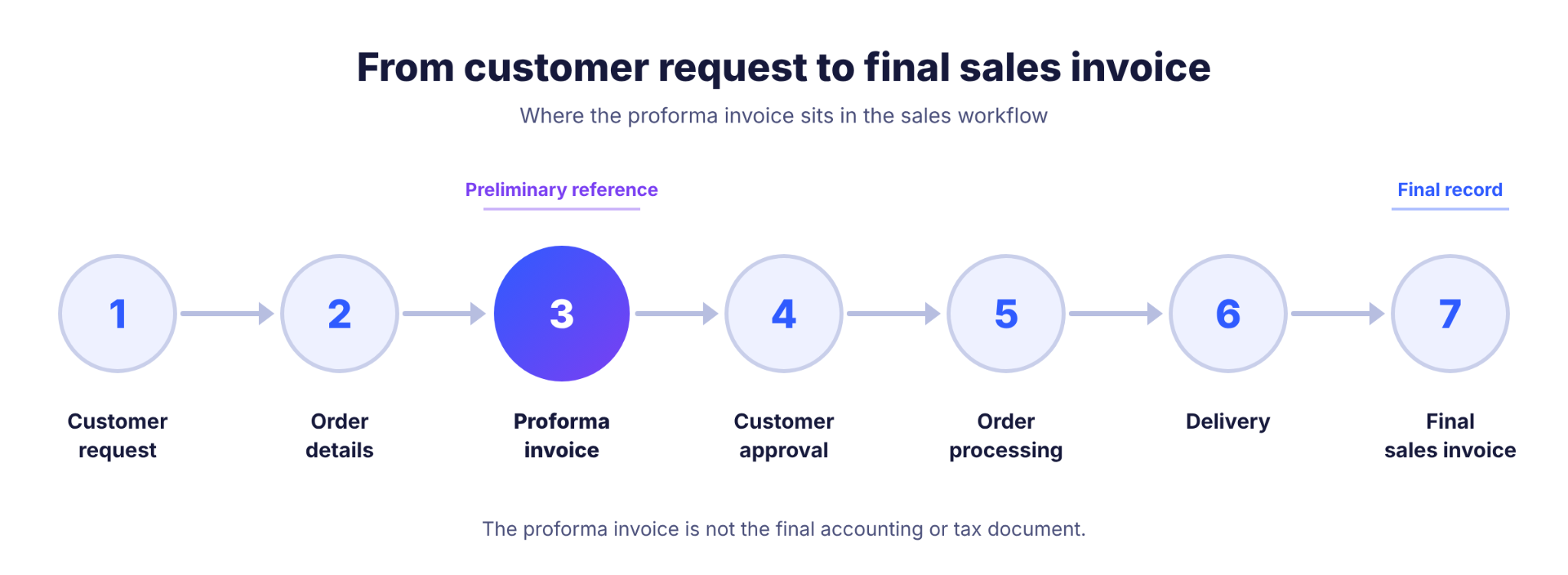
A typical workflow looks like this:
Customer Request → Order Details → Proforma Invoice → Customer Approval → Order Processing → Delivery → Final Sales Invoice
After the order is fulfilled, the business issues the appropriate final sales invoice based on the actual transaction.
The proforma invoice serves as a preliminary reference and should not be treated as the final accounting or tax document.
With connected sales and finance operations, Gluon ERP helps businesses maintain better visibility across their business transactions.
7. Why Manage Sales and Invoicing Through Gluon ERP?
Managing proforma invoices alongside other sales activities becomes increasingly important as businesses grow.
Handling customer details, product pricing, orders, and financial records through disconnected spreadsheets can create unnecessary work and increase the chances of errors.
Gluon ERP brings essential business operations together, helping companies improve their overall transaction management.
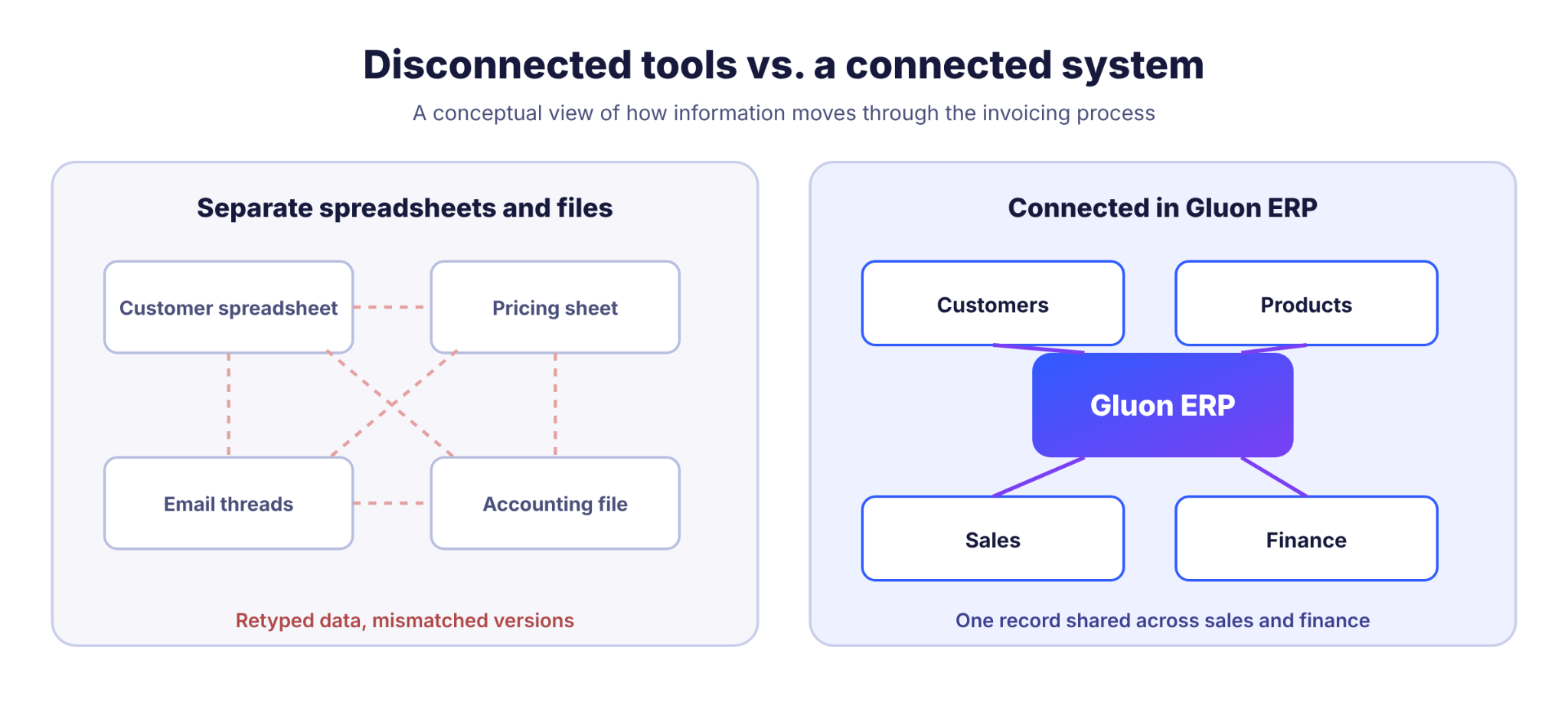
Key benefits include:
Organized Customer Records
Maintain customer information and related business records in a centralized system.
Better Sales Management
Manage sales activities and customer transactions through a structured business workflow.
Accurate Product Information
Keep product details and pricing information organized for more consistent sales operations.
Connected Financial Management
Connect relevant sales activities with financial operations for better transaction visibility.
Reduced Manual Data Entry
Minimize repetitive work and improve consistency across business processes.
Better Business Visibility
Keep important sales and financial information accessible to support informed business decisions.
8. Manage Your Business Transactions with Gluon ERP
A well-managed invoicing process helps businesses maintain transparency, improve customer communication, and keep sales operations organized.
But as transaction volumes increase, businesses need more than standalone invoicing documents. They need a connected system that brings customer information, products, sales activities, and financial operations together.
Gluon ERP helps businesses manage these essential operations through an integrated business management platform.
Whether you operate a manufacturing company, wholesale business, or trading and distribution network, Gluon ERP helps streamline business processes and maintain better control over everyday operations.
Simplify your sales and financial operations with Gluon ERP.
Explore Gluon ERP: https://www.gluonerp.com/
Frequently Asked Questions
1. What is a proforma invoice in Gluon ERP?
A proforma invoice is a preliminary sales document that communicates proposed product details, quantities, prices, and payment terms before a transaction is finalized. Its availability and exact creation process in Gluon ERP should be confirmed against the configured sales workflow.
2. How does a proforma invoice help businesses?
It helps businesses communicate expected costs, request advance payments, confirm order details, and establish clear expectations before completing a sale.
3. Can a proforma invoice be used for advance payments?
Yes. Businesses commonly share proforma invoices to communicate advance payment requirements before starting production, purchasing materials, or arranging deliveries.
4. What details are included in a proforma invoice?
A typical proforma invoice includes seller and customer information, product descriptions, quantities, prices, taxes, discounts, total estimated amount, payment terms, and delivery conditions.
5. Is a proforma invoice a final sales invoice?
No. A proforma invoice is preliminary, while a final sales invoice records the actual transaction and serves the relevant accounting and tax documentation requirements.
6. How can ERP software improve invoice management?
ERP software connects customer information, product details, sales activities, and financial operations. This helps businesses reduce manual work, improve transaction accuracy, and maintain organized records.
7. Why should businesses use Gluon ERP for sales management?
Gluon ERP provides an integrated platform for managing essential business operations, including sales and finance. It helps businesses maintain organized records and improve visibility across their operations.
One platform.
Every part of your business.
Request Your Free
Gluon ERP Demo



and ERP insights delivered to your inbox.


